Watch CORE build a real system.
No signup. No form. Just evidence.

Below is a complete, realistic example of how CORE handles a real enterprise request — from a business person's description to reviewable blueprint to production-ready output. Every stage is what actually happens.

1
The starting point

A business person describes what they need

← Business description (as-is, unedited)
"We need an approval workflow for procurement requests. Anything over $50,000 needs two levels of sign-off — the department head, then the CFO's office. We need audit trails because we are SOX-compliant. Different departments have different approvers. Users should get email notifications when they need to act. We'd like this to integrate with our existing Okta login."

No specification document. No structured requirements. No technical language. This is what CORE receives.

2
CORE asks the right questions

Structured discovery — not open-ended chat

CORE turns the vague description into specific, answerable questions — with sensible defaults pre-selected so a non-technical person can complete this in 15–25 minutes.

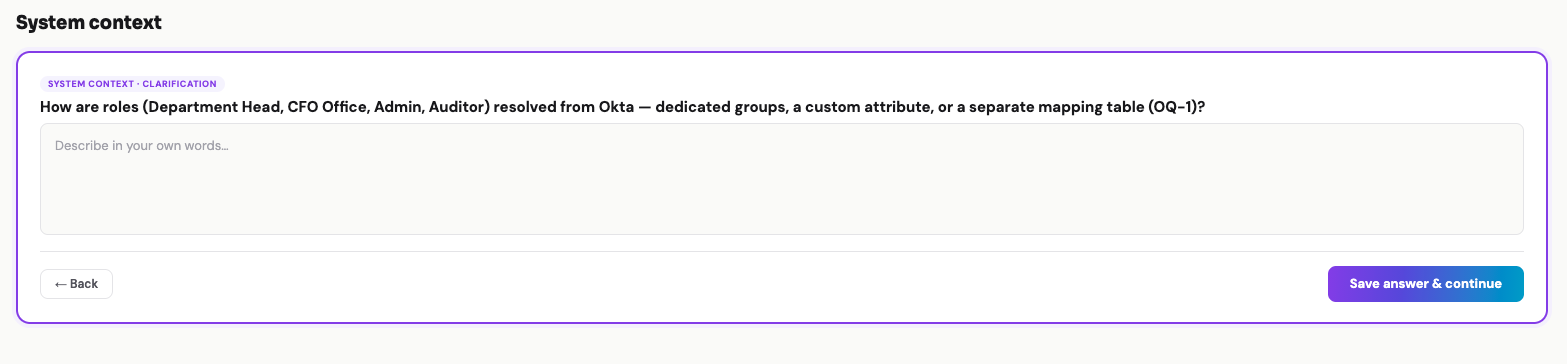
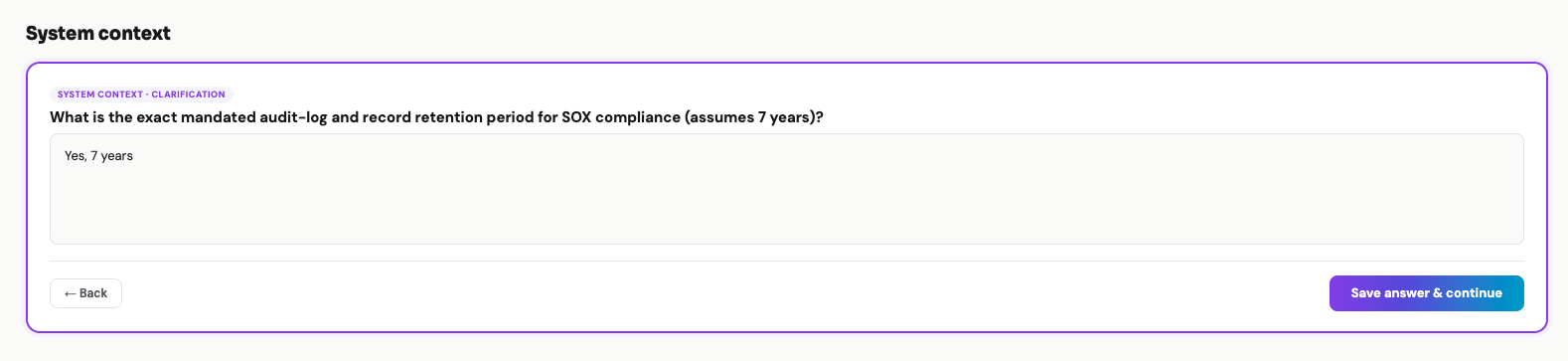
Hover the eye icon next to a question to see the actual screenshot from CORE for that step — proof this is not marketing copy.
1
How are roles (Department Head, CFO Office, Admin, Auditor) resolved from Okta — dedicated groups, a custom attribute, or a separate mapping table?
Suggested default: dedicated Okta groups with role sync on login
Screenshot from CORE
2
If the department head is on leave, should the request auto-route to a delegate, escalate to a fallback, or wait?
Suggested default: auto-route to designated delegate with fallback after 48 hours
3
Should the CFO office sign-off go to a specific person, a role (rotating), or the finance approval group?
Suggested default: role-based routing to on-duty CFO delegate
4
For SOX audit trails, which fields must be immutable, and for how long must audit logs be retained?
Suggested default: all decision-affecting fields immutable, 7-year retention
Screenshot from CORE
5
Should the second-level approver see the department-level comments and decisions, or start fresh?
Suggested default: full context visible with chronological decision trail
6
For Okta integration — should roles map from Okta groups, or be managed separately in this application?
Suggested default: sync roles from Okta groups, refresh on login
3
Complete reviewable blueprint

Everything, before a line of code is written

Your team reviews the full blueprint — data model, screens, workflow, security controls, and integrations — and explicitly approves it. Nothing gets built until this stage passes.

Data model
20 entities · multi-tenant · Okta SSO · two-level threshold approval · SOX hash-chained audit · GDPR consents & DSR
User id, tenant_id, okta_sub, email, display_name, first_name, last_name, department_code, preferred_language, is_active, last_login_at, is_deleted, created_at, updated_at // Okta SSO shadow · okta_sub & email UNIQUE // no credentials stored Role id, name, description, is_system, created_at, updated_at // is_system=1 → seeded, not deletable UserRole id, user_id→User, role_id→Role, assigned_at, assigned_by→User // UNIQUE(user_id, role_id) UserConsent id, tenant_id, user_id→User, consent_type, status, policy_version, ip_address, ts // consent_type ∈ analytics, marketing // status ∈ granted, withdrawn (GDPR) DsrRequest request_id, tenant_id, user_id→User, request_type, status, export_file_path, created_at, completed_at // type ∈ export, erasure // status ∈ pending, processing, completed // GDPR Art. 15/17
View full data model (all 20 entities) →
Approval workflow
State machine with escalation rules
Draft → submit
Submitted → route to dept head
Dept Pending (48h SLA) → approve / reject / delegate
CFO Pending (72h SLA) → approve / reject
Approved terminal ✓
Rejected terminal ✗
🛡
Security & SOX controls
Built in, not bolted on
Okta SSO / SAML 2.0 authentication
Role-based access from Okta groups
Field-level encryption for amount, description
Immutable ApprovalStep records post-decision
Append-only AuditLog with 7-year retention
Segregation of duties enforced (requestor ≠ approver)
CSRF, XSS, SQL injection mitigations
TLS 1.3 in transit · AES-256 at rest
Integrations
Contracted upfront
Okta (SSO + group sync, hourly)
SendGrid / Postmark (transactional email)
Slack (optional decision notifications)
Datadog / CloudWatch (observability)
Sentry (error tracking)
S3 (audit log archival to Glacier after 1yr)

User interface — 6 screens

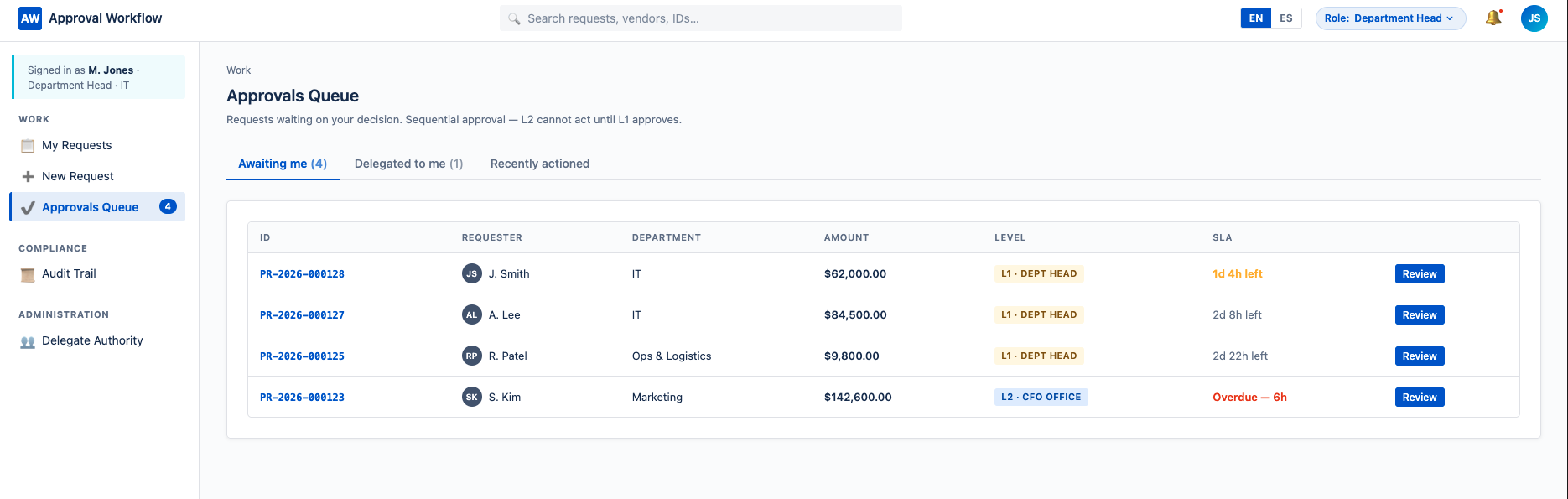
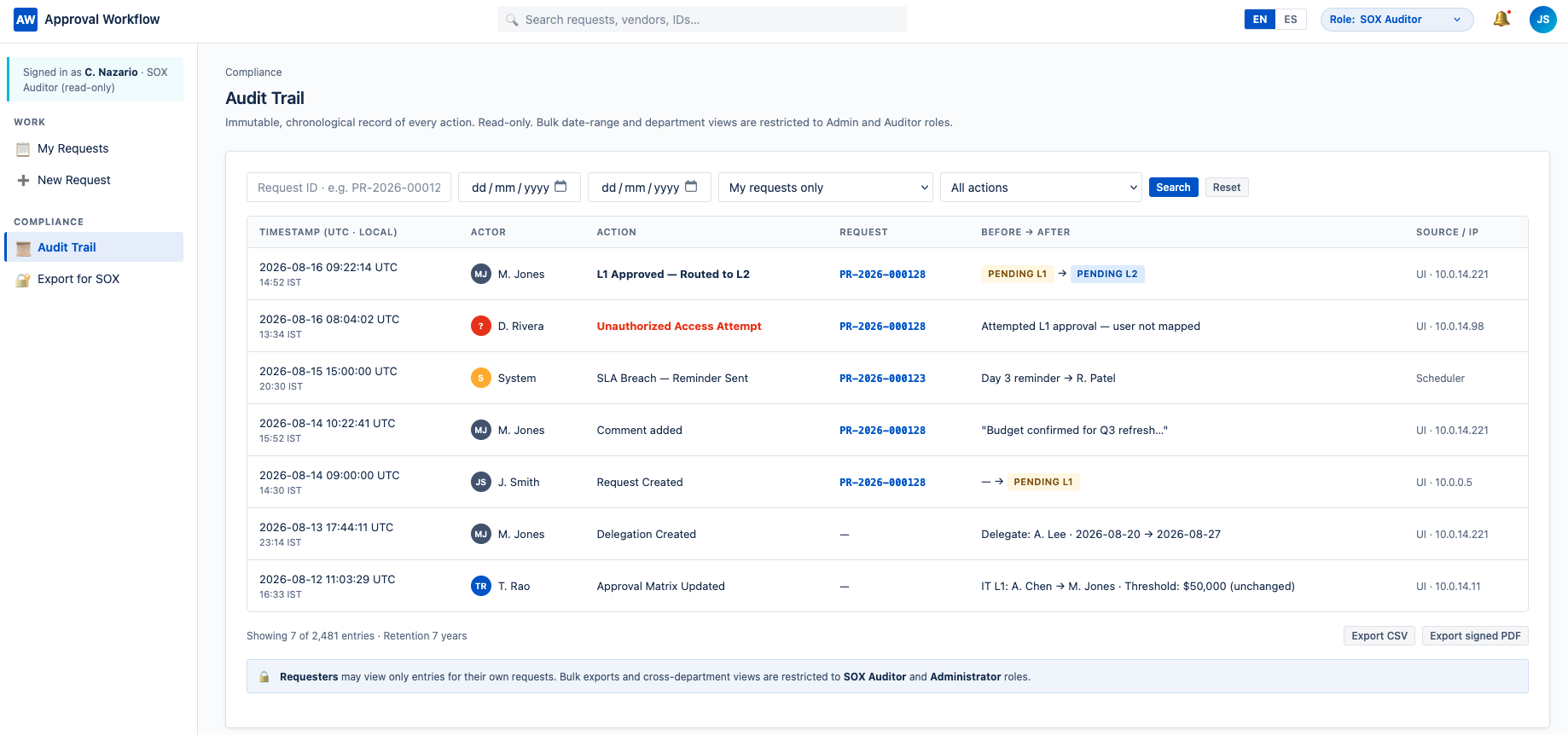
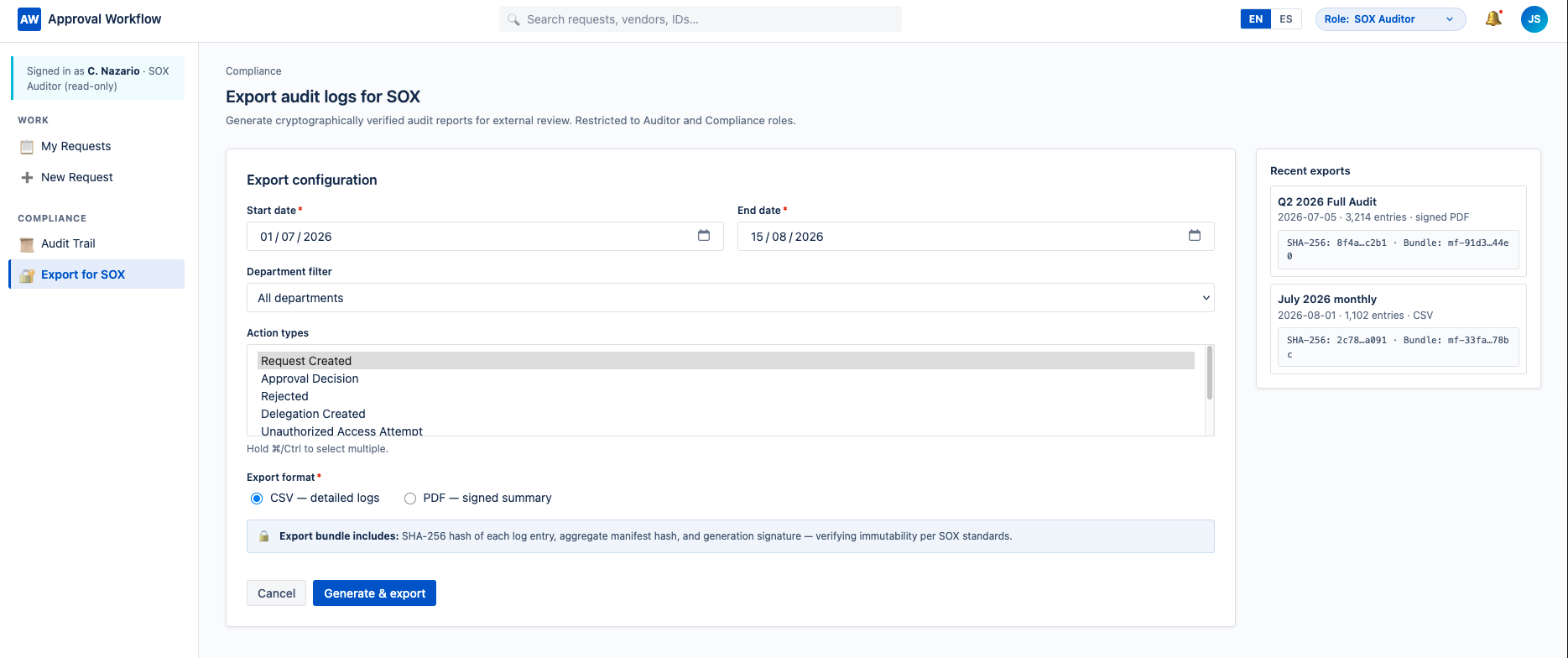
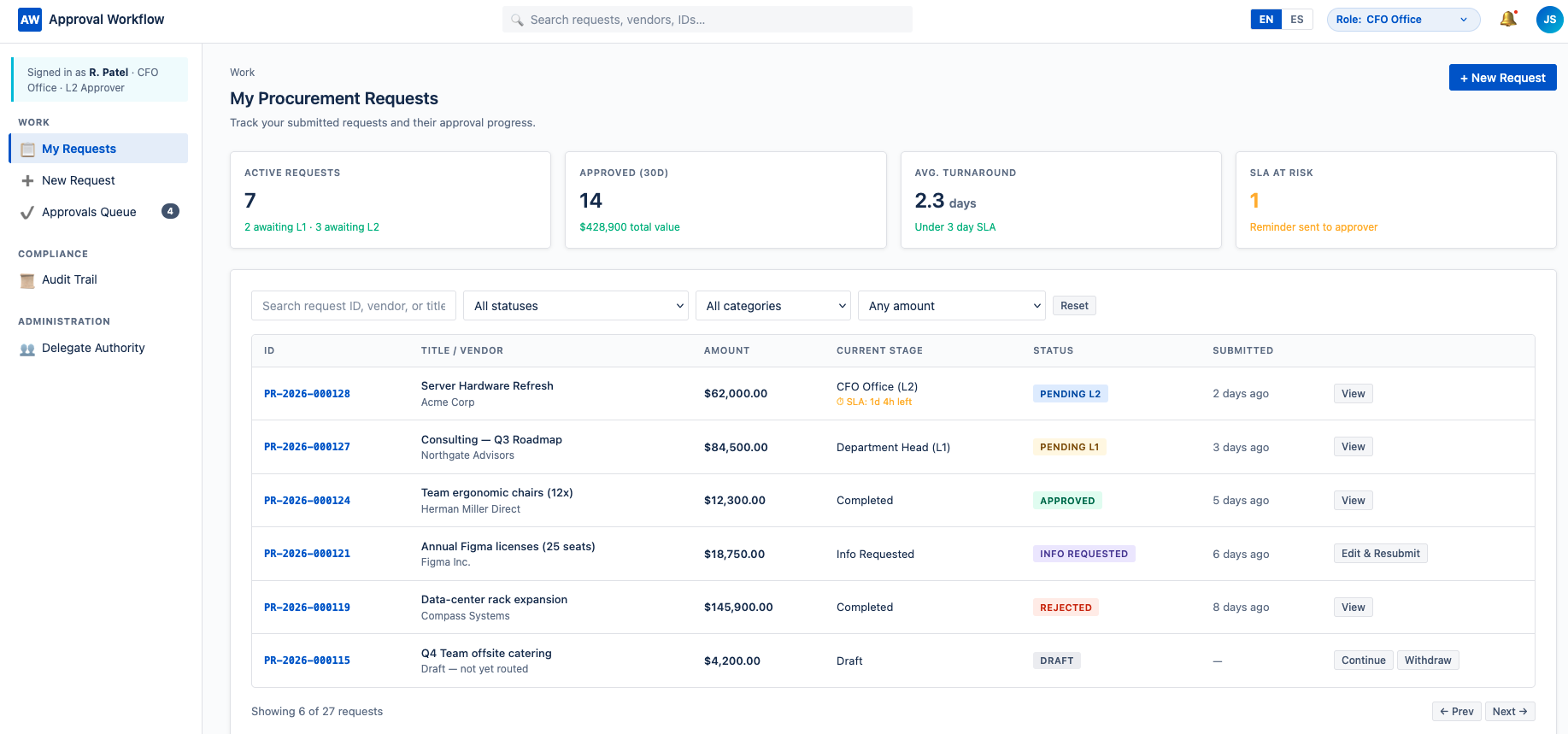
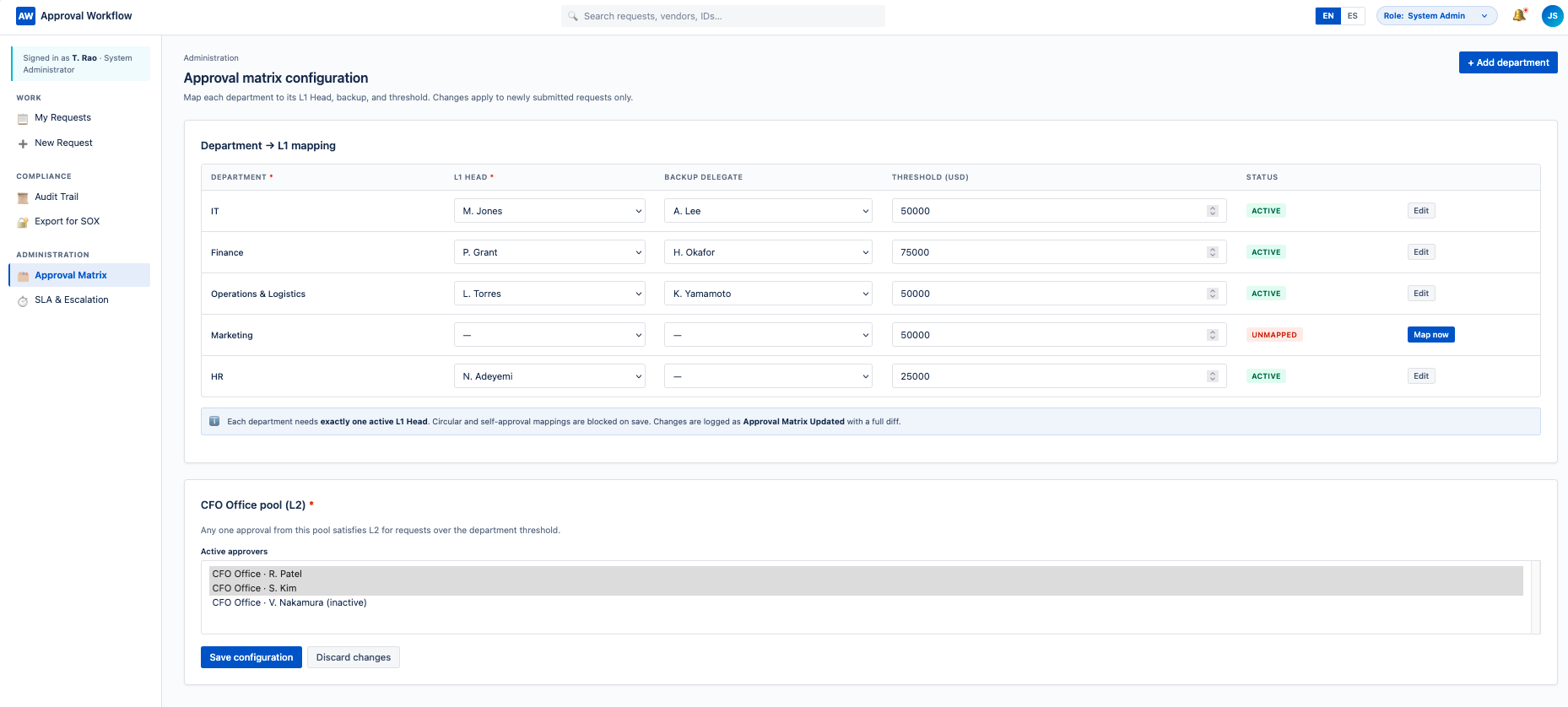
All 6 screens shown below — click any preview to view the full screenshot from CORE.
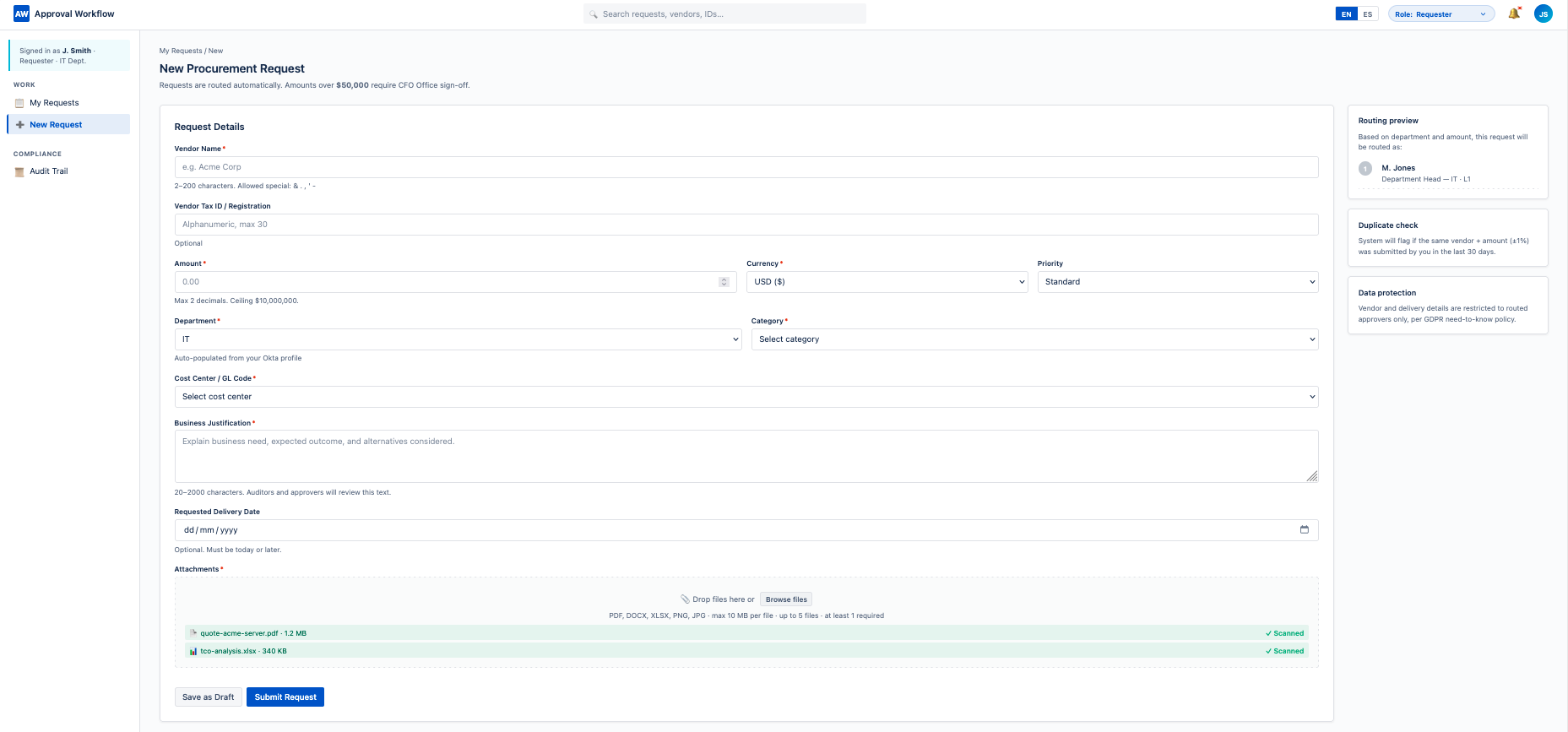
Submit request screenshot preview
Approver queue screenshot preview
Audit trail viewer screenshot preview
Export to SOX screenshot preview
CFO office dashboard screenshot preview
Approval Matrix screenshot preview

Mandatory human review

Your team reviews the entire blueprint above and either approves, requests changes, or rejects it. CORE writes zero code until this gate is explicitly passed. This is non-negotiable — not a setting you can turn off.

4
Production-ready output

What your team receives

A complete, deployable enterprise application. Not a prototype. Not scaffolding for a developer to finish. Real, standard code — yours to own, deploy, extend, and maintain.

🗄
Database
Postgres schema, migrations, seed data
API layer
REST + OpenAPI spec, auth middleware
🖥
User interface
React + responsive, all 6 screens
🧪
Test suite
Unit, integration, security (VAPT)
🔐
Security config
Okta setup, WAF rules, secrets mgmt
📦
Infrastructure
Terraform, CI/CD pipeline, env configs
📋
Documentation
Runbook, admin guide, API reference
📊
Observability
Datadog dashboards, alerts, SLOs

Sample of generated code — the state transition logic

Standard, readable code — no proprietary syntax, no vendor lock. Your engineers can maintain, extend, and audit it using tools they already use.

// approval-workflow.ts — state transition guard with SOX enforcement export async function transitionRequest( requestId: string, action: TransitionAction, actor: AuthenticatedUser, ): Promise<ProcurementRequest> { const req = await getRequest(requestId); // SOX: segregation of duties — requestor cannot approve their own if (req.requestor_id === actor.id && action.type === 'approve') { throw new SoxViolationError('REQUESTOR_CANNOT_APPROVE'); } // Enforce state-machine transition rules const nextState = resolveTransition(req.status, action, actor.role); if (!nextState) throw new InvalidTransitionError(); // Persist decision as immutable ApprovalStep + AuditLog entry await db.transaction(async (tx) => { await tx.approvalStep.create({ requestId, actor, action, decidedAt: new Date() }); await tx.request.update(requestId, { status: nextState }); await tx.auditLog.append({ entity: 'ProcurementRequest', entityId: requestId, actor, action }); }); await notifyNextApprover(requestId, nextState); return getRequest(requestId); }
5
Compared to traditional development

Same output. Different path.

The same procurement approval system, built by a traditional dev team vs. CORE. Both produce production-grade software. The path from requirement to deployment is what differs.

Traditional development team
4–6 months
Requirements phase → spec approval → design → build → QA → deployment.
Typical budget: $180,000–$400,000. Requirement misinterpretations often discovered mid-build.
With CORE
3–6 weeks
Structured discovery (15–25 min) → blueprint review (2–3 days) → generation and validation → deployment.
Every architectural decision reviewed and approved before code is written.

Timelines reflect typical projects of comparable scope. Actual duration depends on requirement clarity and review cadence.

See it? Now let's talk about yours.

This example is one of dozens of system types CORE can build. If you have a real requirement in mind, the fastest way to know if CORE fits is a 30-minute conversation.